ORMSwareTM Suite is a product of Ushar Enterprises Inc, Littleton, Colorado, USA

Objects in this document may appear out of sequence if not viewed with Internet Explorer

Product Overview Examples Primer Hands-on tutorial and ORMSware downloads
ORMSwaretm Suite
Power To Compress Time.sm
Compress Delta-T From Model Inception To EXE

Express the dynamics of your model the way you picture and simulate them in your mind

Which quantitative modeling environment below tells you more about what is being modeled and what the relationships and dependencies are? Suppose the same model is also coded in C++, Visual Basic, Java, Delphi, Fortran.NET, etc. Consider comparing them to ORMSware model below. Which one would survive and evolve to meet rapidly changing business needs when the original creators of the model are gone?


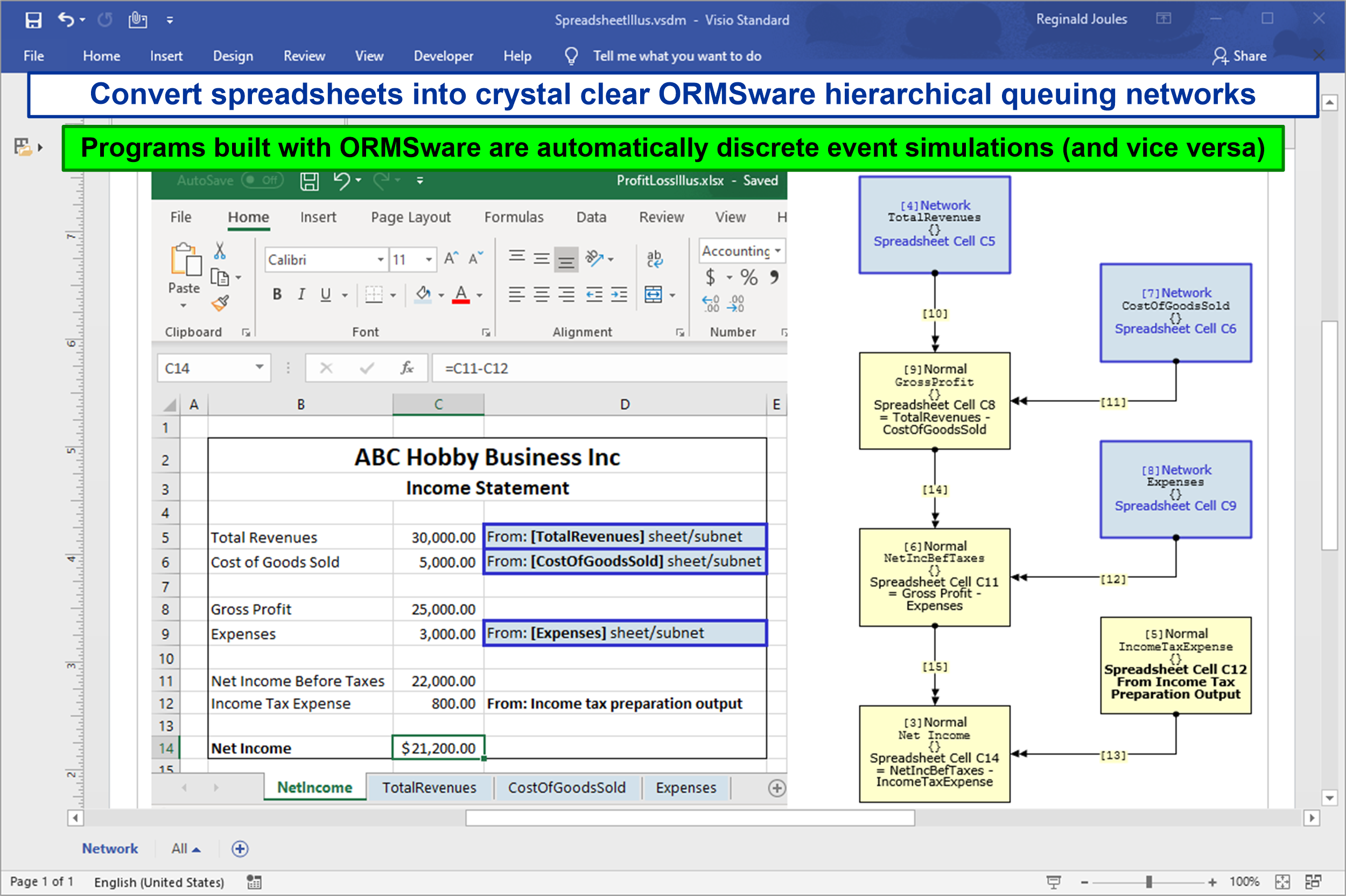
While spreadsheet may be the fastest and easiest tool for implementing a rich variety of quantitative models, many problems evolve quickly beyond spreadsheets. Read Tutorial Chapter 6 "Converting Spreadsheets..." for more info.

An overview of additional benefits of ORMSware is in the next section below.


ORMSware (ormsware) benefits
  • Lucid, visual quantitative models that inspire, involve and connect all stakeholders of a problem

  • Transform complex spreadsheets into visual quantitative network models that are easy to understand, modify and maintain

  • Hybrid models, retaining easy parts in spreadsheets while moving complex parts to ORMSware

  • Automatic time dimension to easily express problem dynamics

  • Optimization, goal-seeking and numerous helpful functions

  • Powerful array operations and all other functions and functionality of modern Fortran 95

  • Monte Carlo simulation for uncertainty analysis

  • Standalone execution without ORMSware once a model is built

  • Strict ANSI-Fortran 95-compliant source generation for compiling and executing models on any platform (PCs to supercomputers) hosting a modern Fortran 95 processor

  • All ORMSware variables declared with KIND attribute for portability and architecture-independent accuracy

  • Open architecture

  • Free to anyone for personal training and use

ORMSware Suite is a line of rapid, visual quantitative modeling tools from Ushar Enterprises Inc. ORMS in ORMSware stands for Operations Research/ Management Science. The first component of ORMSware Suite released in February 2003 is our [hierarchical] Network-structured Modeler (NMOD).

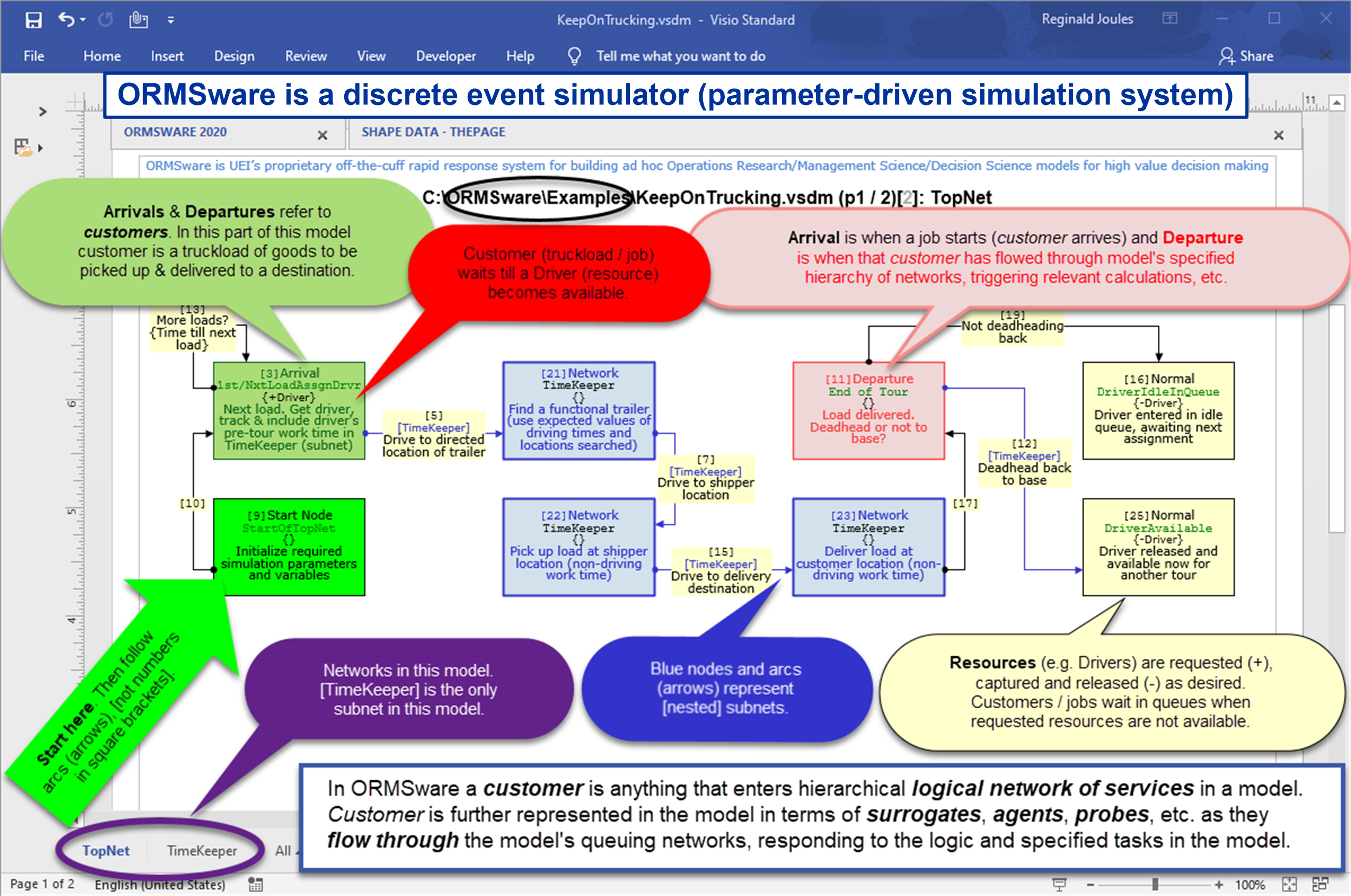
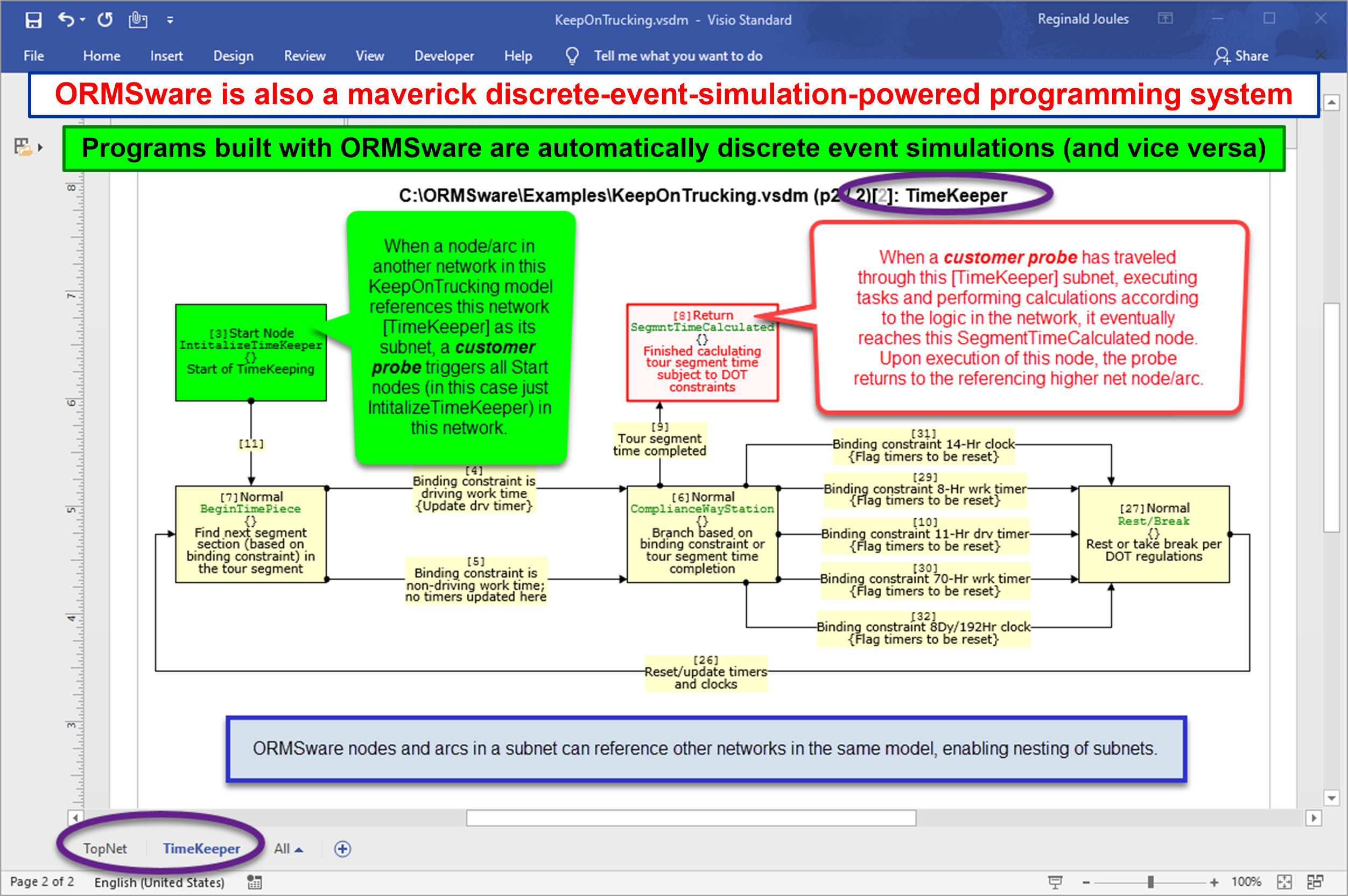
NMOD is a limited release of ORMSware's general purpose discrete event simulator component (next in line). The limit in this release is the absence of animation, Resource Module for automatic creation and handling of resource entities (watch for our innovation), and Statistics Module for automatic statistics gathering. As a subset of the simulator, NMOD is also a general purpose Monte Carlo simulation tool.

NMOD enables engineers and analysts to focus on quickly developing quantitative models that are too large and/or complex for spreadsheets, avoiding the undesirable distractions of heavy programming.

NMOD has also turned out to be an ideal tool for systematic, rapid, risk-less transformation of legacy spreadsheets into visual quantitative networks. Many organizations have spreadsheets that have evolved over time into constraining spaghetti structures that are too risky to modify and hard to maintain. We have a low-cost, high-impact methodology for transforming spreadsheet models into visual NMOD models that are easy to understand, maintain and modify (See chapter on Transforming spreadsheet models into NMOD models in Hands-on Tutorial).

The general ORMSware paradigm is anchored in the undeniable fact that logical networks are pervasive structures which can be used to visually express quantitative solutions in any discipline, in any application arena. ORMSware network objects in combination with easy ORMSware notations make it possible to model virtually any quantitative problem in any setting.

NMOD's distributed components are tightly coordinated and synchronized. Since the NMOD engine is totally free from Windows overhead, and is detached from NMOD's model definition environment (Visio 2002 and UltraEdit browser), NMOD models execute very fast. This is a critical advantage when models are complex and large-scale.

NMOD's engine is not confined to running on the PC platform. NMOD models are portable to any platform, from workstations to supercomputers.

Availability

NMOD's very first release (Version 0.0A, February 2003) is free to analysts for individual training and personal use. It is also free to students and faculty of recognized academic institutions for pedagogical purposes. Registration is necessary in call cases.

Nonacademic organizations will be able to use this release free for at least 45 days. Models developed during the approved trial period can still be used after trial, without NMOD, since all NMOD models are standalone executables.

Full commercial version of NMOD will be developed and made available when a critical mass of registered users tell us that they want to use NMOD in projects for their organizations and clients.

Commercial version will also be available to organizations for free 45-day trial. Legitimate academic institutions will continue to enjoy NMOD for free. If a nonacademic organization chooses not to purchase commercial version after the trial period, models developed during trial will still continue to execute. Only NMOD's model translator (NETrans) will stop functioning after trial period, strictly to disable new model development.

ORMSware's target market consists of organizations in both government and commercial sectors who are constantly engaged in developing and maintaining complex and large-scale scientific and engineering models and advanced quantitative business models; and organizations eager to migrate complex production spreadsheets to an environment where content logic is easy to see, understand, modify and maintain.

Pricing details

ORMSware needs three support products to function (Microsoft Visio, IDM UltraEdit, and Lahey/Fujitsu Fortran 95 compiler). After the free trial period, all licensees will have to purchase the above products to use ORMSware, while ORMSware itself will be free to personal and educational licensees. As mentioned before, EXEs of models developed during trial period will continue to execute without any of the support products. However, if you intend to put a model into production, you should buy a Lahey/Fujitsu compiler (see Lahey's incredibly affordable pricing information in download section of Hands-on Tutorial Chapter 1).

Normal price for a paid ORMSware license is $1,200. It covers costs of the support products. Currently we are offering ORMSware for free to academic as well as non-academic organizations with certain conditions attached. Contact us for details.


Product details

Thanks for visiting us.

Contact information

Ushar Entperprises
Attn: ORMSware Project
6315 Central City Blvd #413
Galveston, TX 77551, USA

Email address (please build):
ORMSware (id portion)
@ushar.com (domain portion)

Please note that emails without the word ORMSware in Subject field are automatically deleted by our SPAM filter.

Reverse links

www.exceltip.com


Think. Condense. Model. Encode. Document.
Simultaneously.
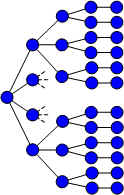
Click image at left to see an example of how ORMSware helps analysts think through problems systematically while also documenting, and implementing models, and creating presentations, virtually simultaneously.

This link takes you to an example showing the approach one is likely to use when working with ORMSware to devise a simple algorithm for generating all possible ways a given number of items can be sequenced. It then demonstrates how large networks are logically condensed (to three ORMSware nodes in the case of this algorithm for sequencing any given number of items). The model is then extended to solve a special Asymmetric Traveling Salesman problem (ATSP) with nontrivial functions of distance, time and cost.


Examples of model formulation using Visio interface


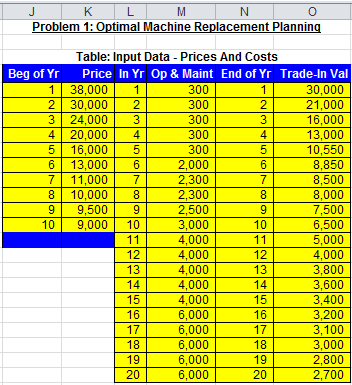
Example of Excel interface for data entry


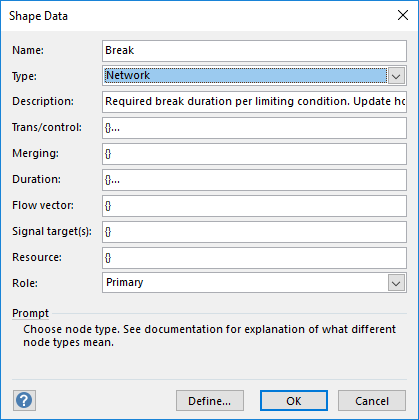
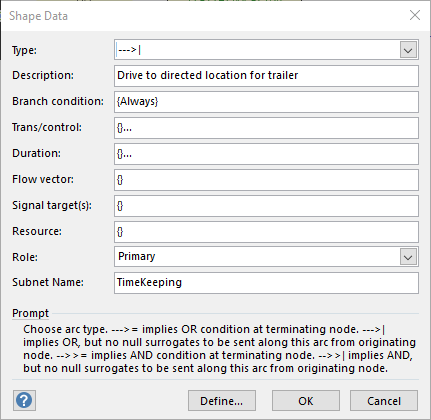
Example of Visio on-drop mini-dialog box for arc properties